Skip to content
4777vet Slots / Mobile
LIVE LOBBY

4777vet — Slots, Live Casino and Sports in One Place

Slots from PG Soft and Habanero, live casino tables, and a sportsbook with cricket markets — all reachable in one tap from your phone. Deposit with bKash or Nagad and your account balance updates the same session, subject to your local law and eligible region.

bKash Nagad Rocket
Browse games
CONTENT / 01

Games Visitors Open First

Crash Ignition draws quick-session players who want one round before switching to sports. Roulette Dreamspin runs on the live casino rail alongside table games where the dealer is streamed in real time. Players who prefer a slower pace often move from Crash Ignition directly to the table game section, where multiple roulette and card game variants are accessible from the same lobby rail. Filtering by category at the top of the lobby helps narrow the visible tiles when you want to move between game types without scrolling through the full grid.

  • Crash Ignition

    A fast-round crash game that suits a quick session between sports events. The multiplier climbs until you cash out — the mechanic is visible on screen, and the round history is logged in your account so you can check previous results without leaving the game view.

  • Roulette Dreamspin

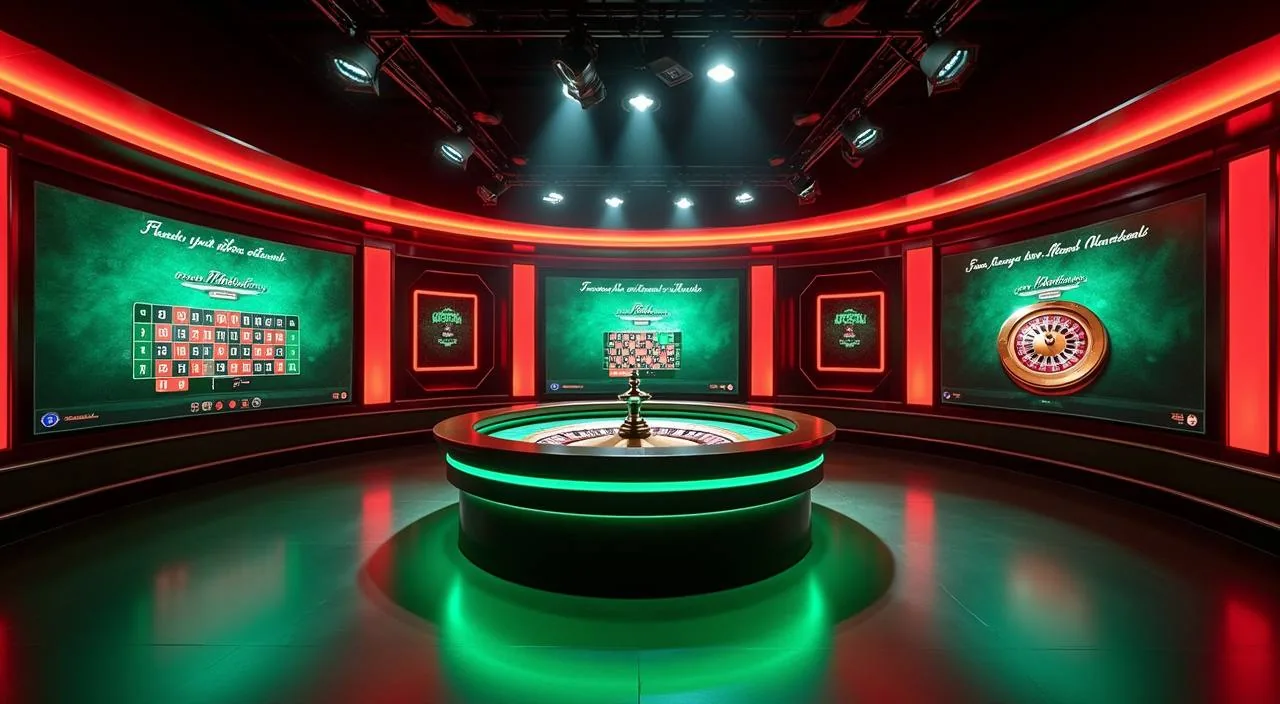
    A live-dealer roulette table streamed in real time. Bet history and table limits are displayed directly at the table, so you know your position before each round. Switch between this and the slots section without reloading the page — the lobby keeps your place.

  • Live Cricket Spot

    The cricket-category title that Bangladesh visitors reach for most during IPL and BPL windows. Market availability depends on the match schedule shown in the sportsbook — check the live events panel for what is running at the time you log in.

DISCOVER / 01

Choose your game

Full lobby
SPORTS CATEGORY

Cricket, Football and the Sportsbook Rail

The sportsbook section loads first on mobile because that is where most Bangladesh visitors already are when they open the app. Cricket markets — IPL, BPL and international fixtures — sit at the top of the sports rail when a match is scheduled. Football markets cover domestic and international fixtures and are listed beneath the cricket section on the rail. Selecting a match opens the full market view, where different bet types for that fixture are displayed on a single scrollable screen.

  • Cricket Markets

    IPL, BPL and international cricket fixtures appear in the sportsbook rail when scheduled. Market depth varies by match — pre-match and live options are both shown in the betting panel once the fixture goes active. Availability depends on your region and the match calendar.

  • Football BalMoney

    The football-category game title on the casino side, separate from the football sportsbook markets. Both sit in the lobby so you can switch between the game and live match odds without opening a new tab. Check the sportsbook panel for which football fixtures are currently live.

  • Fast Session Titles

    Crash Ignition and Teen Patti LuckySpin are built for short sessions — a few rounds before or after a cricket match. Both load within the same mobile browser session and do not require a separate app download to play.

GAME NETWORK
PlayStar
JDB
PG Soft
Habanero
CONTENT / 04

4777vet lobby studios

The 4777vet lobby carries content from PlayStar, JDB, PG Soft, Habanero. To check the studio, rules or features of one specific game, open that game card or the published information panel.

  • PlayStar

  • JDB

  • PG Soft

  • Habanero

ACCOUNT DESK

Account information

Review current account information after signing in.

Login
4777VET
Mobile casino lobby
Popular Live Slots
Live Cricket Spot Roulette Dreamspin Slot LightningBolt
MOBILE LOBBY

Built for phones, clear on desktop

Cards, tables, FAQ and policy pages stay easy to read on smaller screens.

  • Quick categories
  • Mobile first
  • Access
App
CONTENT / 03

Returning to the Lobby on Your Phone

4777vet is built around the returning-user flow on mobile. When you open the site on your phone browser, the sports section loads first because that is the most common entry point for Bangladesh visitors.

  • Sports-First Mobile Layout

    The sportsbook section is positioned at the front of the mobile lobby because most Bangladesh visitors arrive for cricket or football markets. From there, the navigation bar at the bottom of the screen reaches casino and slots without leaving the current page or reloading the session.

  • Session Continuity

    Your signed-in session persists on the same mobile browser until you actively sign out. Returning users can pick up from the lobby directly without re-entering credentials each visit. If your session does expire, the login screen is one step from the lobby home — enter your details and you are back.

  • Cross-Device Account Access

    Sign in with the same account on desktop or a different mobile device and your wallet balance, deposit records and active account status come with you. The account is tied to your credentials, not to a specific device, so switching hardware does not mean starting over.

LOCAL PAYMENTS

bKash, Nagad and Rocket at the Front of the Flow

Local payment methods sit at the start of the deposit flow, not buried in a settings menu. When you open the deposit screen after signing in, bKash, Nagad and Rocket appear as the first options in the method list. Upay and Bank Transfer are also available in the same panel.

  • bKash

    bKash deposits are initiated from the deposit screen in your signed-in account. Enter your bKash number and follow the confirmation step shown in the flow. The transaction appears in your wallet history after the deposit is processed — check there for the current status if it does not reflect immediately.

  • Nagad

    Nagad appears alongside bKash in the deposit method list. The process follows the same path: select Nagad, enter the required details on the screen, and confirm. Your wallet balance in the account panel reflects the deposit once it clears. Transaction records are stored in your account history.

  • Rocket

    Rocket is available as a deposit and withdrawal method in the payment panel. Select it from the method list, follow the on-screen fields, and the confirmation step completes the transaction. Withdrawal to Rocket follows the same route — select it from the withdrawal screen and enter your Rocket wallet details.

  • Upay

    Upay sits in the same deposit panel as bKash, Nagad and Rocket. If you use Upay as your primary mobile wallet, the process is the same: select the method, enter your details in the fields shown, and confirm. Check your account transaction history if you need a record of the deposit.

Banking
ACCOUNT JOURNEY

From the First Visit to Your First Deposit

Getting from the homepage to an active account is a short path. Open the account registration page and fill in the required fields — email address, a password, and the details shown on the registration form.

  1. Step 1 — Open the Registration Page

    Find the account creation link on the homepage and open the registration form. Fill in your email, choose a password, and complete the fields shown. The form indicates which fields are required before you can submit.

  2. Step 2 — Verify Your Email

    After submitting the registration form, a confirmation message is sent to the email address you entered. Open that message and follow the verification link. Until this step is done your account is pending — the lobby is not accessible.

  3. Step 3 — Sign In and Reach the Lobby

    Once your email is verified, sign in with your credentials. The lobby opens at the sports section. Use the bottom navigation bar to move between sportsbook, casino and slots — no extra steps are needed to reach any section.

  4. Step 4 — Open the Wallet and Deposit

    Open the wallet panel from the signed-in account menu. Select bKash, Nagad, Rocket or another method from the list. Follow the fields and limits shown on the deposit screen. Your balance appears in the wallet panel after the deposit processes.

MEMBER DESK / 06

Offers, support and account controls

01

Game lobby

02

Payment guide

03

Support

HELP AND ACCOUNT SUPPORT

Where to Get Help with Your Account

Account questions — deposit status, login access, wallet balance, game history — are handled through the support routes shown in the signed-in account area. The help section in your account lists the available contact options for Bangladesh accounts; use the route shown there rather than a third-party contact. If you cannot locate the correct support route after signing in, the help section also includes a written guide explaining which route applies to each query type. Response times and operating hours for each contact channel are noted alongside the contact option itself, so you can choose the method that fits your schedule before sending your query.

  • Account and Wallet Queries

    For questions about your wallet balance, a pending deposit or a transaction that has not cleared, open the transaction history in your account first. The record there shows the current status. If you need to escalate, use the support route listed in the account help section with the transaction reference from that record.

  • Login and Access Help

    If you cannot sign in, the password recovery option on the login screen lets you reset access using your registered email. Enter the email address you signed up with and follow the steps in the message that arrives. If the email does not arrive, check your spam folder before contacting support.

  • Contact Routes for Bangladesh

    The available support channels for Bangladesh accounts are listed in the help section of the signed-in account area. Use those routes for account-specific questions. For general lobby questions, the FAQ section on this page covers the most common ones — check there before opening a support request.

ACCOUNT AND FAIR PLAY

How 4777vet Keeps the Account Experience Consistent

Fair play on a platform starts with transparency at the account level. RTP figures for slots and live casino games are displayed on the game detail screen where the studio exposes that data — PG Soft, Habanero, JDB and PlayStar each handle this in their own way through the game interface. Account settings also include options that let you review your session activity and adjust how the account behaves during future visits; those controls are found under the settings menu once you are signed in.

  • Game Fairness and RTP

    RTP information is shown on the game detail screen only where the supplying studio — PG Soft, Habanero, JDB or PlayStar — publishes it. We do not post figures that the studio has not made available. If a game does not display an RTP number, that reflects the studio's own disclosure practice for that title.

  • Transaction Records

    Every deposit and withdrawal is logged in your account transaction history with a reference number and status. bKash, Nagad, Rocket and Upay transactions each appear in the same panel. If a transaction status is unclear, that reference number is what the support team uses to look up the record on their side.

  • Account Settings and Access

    Your account settings — password, registered email, and account details — are managed from the account settings screen after sign-in. Changes to sensitive details may require a verification step shown on the same screen. Keep your login credentials secure; account access is tied to those credentials only.

  • Regional Eligibility

    Access to games, betting markets and payment methods depends on your location and local law. The eligibility notice shown in your account after sign-in reflects what is available to you. If a section of the lobby is not accessible, that notice explains the reason based on your account's region.

PLAYER INDEX / 07

Common Terms in the 4777vet Lobby

The lobby uses a few terms that are worth knowing before your first session. A crash game like Crash Ignition runs a multiplier that climbs from 1x upward — you cash out before it crashes, and the round ends when the crash point is reached. A live casino game displays a real dealer through a video stream; the result is determined by the physical action on screen rather than a random number generator. The sports rail uses the term 'in-play' to indicate a market that is open while the match is in progress, as distinct from pre-match markets that close before kick-off or the toss.

Player guide and glossary
  • What is a crash game and how does Crash Ignition work?

    A crash game runs a multiplier that starts at 1x and climbs. You decide when to cash out — the longer you wait, the higher the multiplier, but the round ends when the crash point is hit.

  • Where do I find the RTP for a slot game?

    RTP is shown on the game detail screen only where the studio publishes it. For PG Soft, Habanero, JDB and PlayStar titles, open the information panel before starting the round — if the studio has disclosed an RTP for that titl

  • What does it mean when a transaction is pending?

    A pending status means the deposit or withdrawal has been submitted but has not yet completed on the payment network. Open the transaction history in your account wallet to see the current status and whether any action is needed from your side.

  • What is the difference between the live casino and the slots section?

    The live casino section streams tables with real dealers — Roulette Dreamspin is an example of this format. Slots are software-run games where the round outcome is determined by the game's random number generator.

  • What does 'eligible regions' mean on the account notice?

    Some games, betting markets and payment methods are only available in certain regions based on local law. The eligibility notice in your signed-in account tells you which sections of the lobby are available to your account.

Full glossary
LOBBY / 02

One mobile lobby, distinct game areas

Live Cricket Spot Sports Live Cricket Spot Access → Roulette Dreamspin Live Roulette Dreamspin Access → Slot LightningBolt Slots Slot LightningBolt Access → Football BalMoney Sports Football BalMoney Access → Crash Ignition Slots Crash Ignition Access → Teen Patti LuckySpin Slots Teen Patti LuckySpin Access →
EXPLORE FURTHER / 04

Explore detailed guides

Local lobby check

QUICK ANSWERS

Frequently asked questions

Most account questions come down to three areas: getting in, putting money in, and getting it back out. The steps for each are shown in the relevant screen after you sign in — registration fields on the account creation page

Read FAQ →
How do I deposit with bKash?

Sign in and open the wallet panel from the account menu. Select bKash from the payment method list. The deposit screen shows the minimum amount and the fields to complete. Enter your bKash number and follow the confirmation step. Once the transaction processes, your balance appears in the wallet panel.

Can I use Nagad or Rocket instead of bKash?

Nagad and Rocket are both available as deposit and withdrawal methods in the same payment panel. Select whichever wallet you use from the method list on the deposit screen.

How do I withdraw my balance?

Open the withdrawal panel from your signed-in account menu. Select the payment method you want to withdraw to — for most Bangladesh accounts this will be bKash, Nagad or Rocket. Enter the amount and your wallet details in the fields shown.

What do I do if I forget my password?

Use the password recovery link on the sign-in screen. Enter the email address you registered with and follow the steps in the message that arrives.

Why can't I access the sportsbook or some casino sections?

Access to the sportsbook, certain casino games and betting markets depends on your location and local law. After you sign in, the eligibility notice in your account shows which sections are available to you. If a section is not accessible, the notice explains the reason.

How do I check my deposit and withdrawal history?

Open the wallet panel in your signed-in account and look for the transaction history tab or section. Every bKash, Nagad, Rocket and Upay transaction is logged there with a date, amount, method and status. Pending transactions show their current state.

Is there a mobile app to download?

The full lobby — slots, live casino and sportsbook — is available through your mobile browser without a separate app download. Open the site on your phone browser, sign in, and the mobile layout loads with the sportsbook section first. The bottom navigation bar keeps all sections reachable in one tap.

READY WHEN YOU ARE

4777vet game lobby

Access may be available only where local law permits.

Register Login